
First steps after sign-up
A 5-item checklist to get your Raal account ready before you place your first order.
You've signed up. Here's what to do next so your first order goes through smoothly.
The 5-step checklist
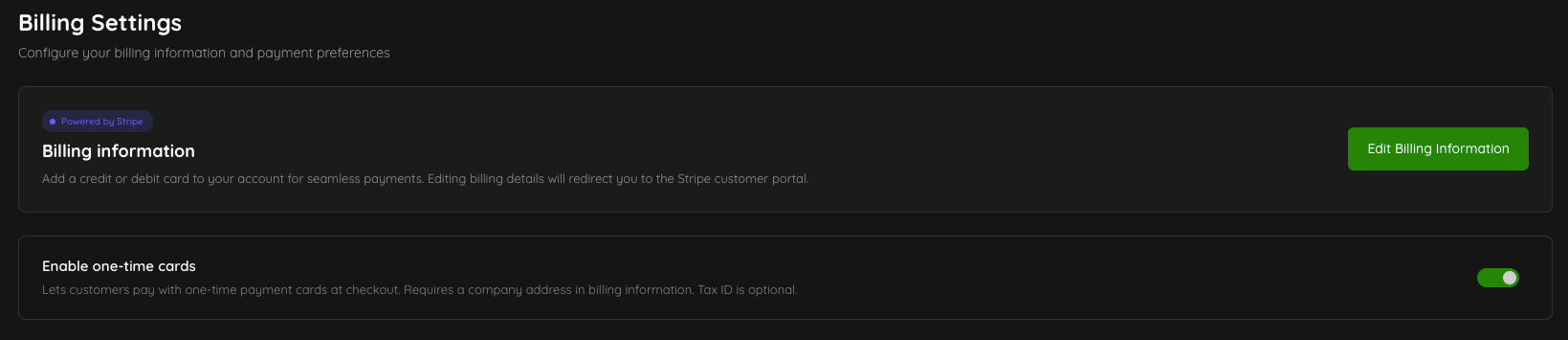
Add your company billing details. Go to Settings > Billing. Fill in your legal company name, address, and VAT or tax ID. This information appears on every invoice and is required before you can pay, so we can calculate the taxes correctly.

Add a payment method. From the same Billing section, add a card via Stripe. You can save it for repeat use or pay one-off.
Decide on PAYG or a subscription. If you expect more than a handful of shipments per month, a subscription plan lowers the per-shipment price. If your volume is low or irregular, PAYG is fine.
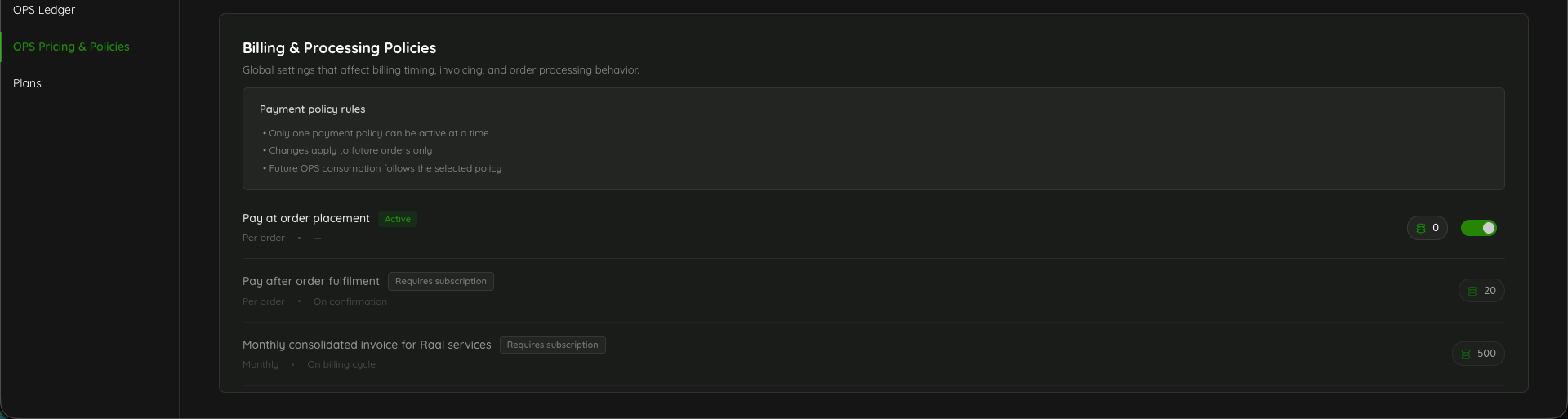
Choose a payment policy (available only for subscription tiers). Decide how you want to pay for orders:
At order placement (default, free).
After fulfillment (costs 20 OPS per order, but useful for cost approval workflows).
Monthly consolidated invoice (500 OPS per month, for finance teams who prefer one bill).
Invite your team. Go to Settings > Users and add the people who will place orders or manage the account. Assign roles (Admin, Editor, Viewer) based on what they need to do.
Once those are done
Place a test order. The Place Order flow is a four-step wizard that walks you through choosing the device type, addresses, shipping speed, and confirmation. Even if you cancel before checkout, you'll get a feel for what's needed before a real order goes through.
Optional next steps
Connect BambooHR if you use it. Employee details will autofill into orders.
Configure notifications to control which order events are emailed to you.
Bookmark this help center; every feature has a how-to.