
PAYG vs subscription: which is right for you
How to choose between pay-as-you-go and a subscription plan based on your shipment volume.
Pay-as-you-go or a subscription? Here's how to choose
Raal gives you two ways to pay: pay-as-you-go (PAYG) and a subscription (Starter, Pro, or Business). The real difference is how you pay. With PAYG you pay for each order at the moment you place it, with nothing to set up in advance. With a subscription you buy OPS credits in bulk, which lowers your cost the more you commit.
What are OPS?
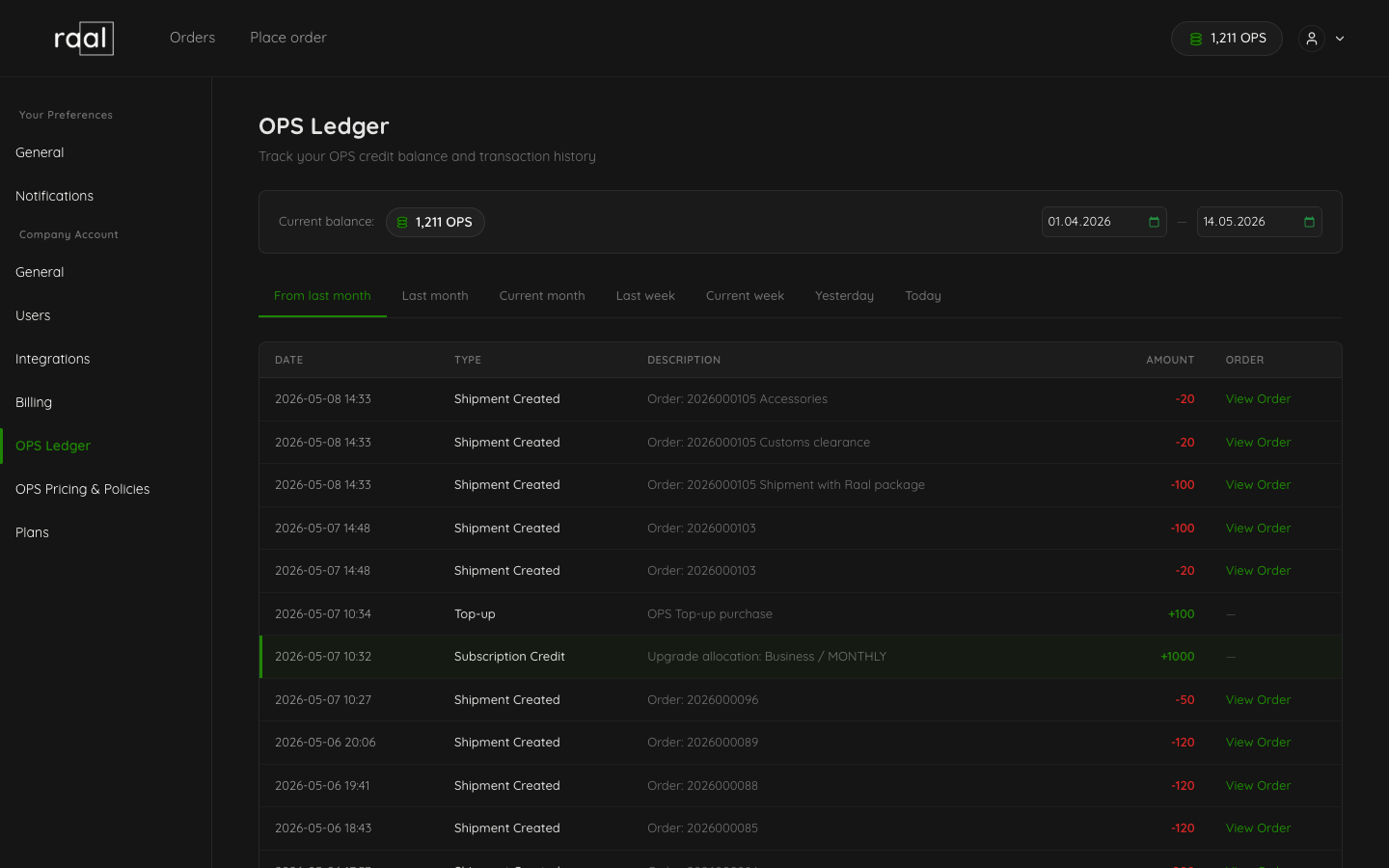
OPS (Operational Points) are the credits that subscription plans run on. Every action on the platform has a fixed cost, and on a subscription that cost comes out of your OPS balance. A few examples:
Shipping an order with our packaging: 100 OPS
Clearing customs: 20 OPS
Adding an accessory to a shipment: 10 OPS each
You can see the full list on our pricing page. OPS only applies to subscriptions. On PAYG, there are no credits at all; you just pay per order (more on that next).
Pay-as-you-go (the default)
PAYG is the simplest option. There are no credits to buy and nothing to manage up front. You pay for each order at the moment you place it, and that's it.
Because there's no commitment, it's the most expensive option per order. It's the right pick if you ship rarely, your volume is hard to predict, or you just want to try Raal before signing up for a plan.
Subscriptions: Starter, Pro, Business
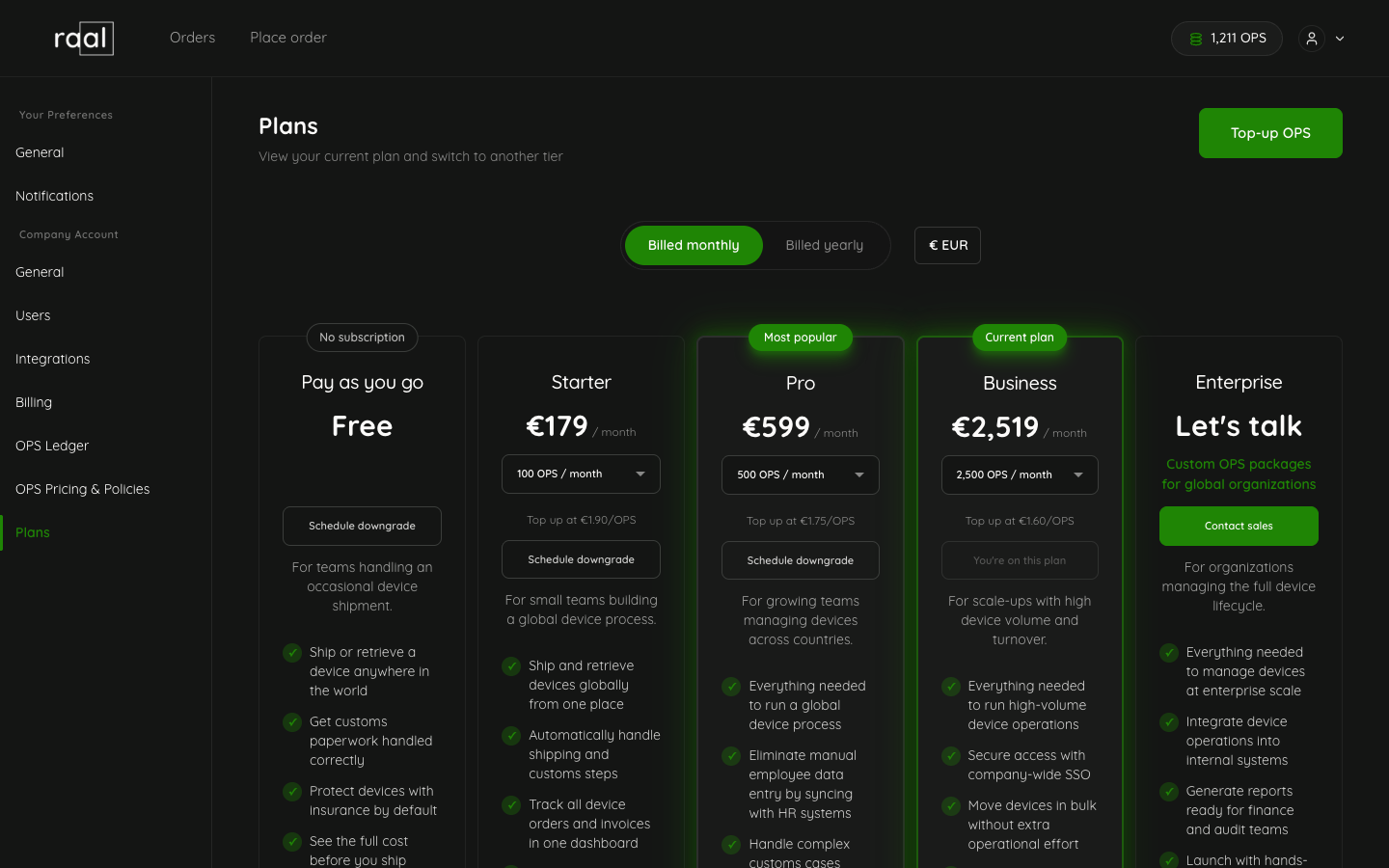
A subscription lowers your cost in exchange for a commitment, and it's where OPS come in. You get a set amount of OPS each period, and the bigger the plan, the cheaper each OPS gets. Each plan also comes in a few pack sizes, so you can match it to how much you actually use.
Paying yearly instead of monthly gets you three things:
10% off the subscription price.
A bonus month of OPS, so you get 13 months' worth for the price of 12.
All your OPS upfront, ready from day one instead of arriving month by month.
Plan | Monthly (EUR) | Default OPS/month | Per-OPS price |
Starter | 179 | 100 | 1.79 |
Pro | 599 | 500 | 1.20 |
Business | 1,599 | 1,500 | 1.07 |
Not sure which one fits?
Don't guess, let the recommender do the math. Tell it roughly how many shipments you send in a typical month and it shows you the cheapest plan that fits, along with the monthly versus yearly cost. It takes about 30 seconds and doesn't ask for a card.
What if I get it wrong?
You can switch plans at any time from Settings > Subscription. Upgrades take effect immediately, and downgrades are scheduled for the end of your current billing period. Top-up OPS never expire and are consumed before your subscription OPS each period.