
Asset statuses and condition grades explained
What each of the eight statuses means, how condition is scored, and why the audit result is a separate thing.
Three different fields describe the state of a device, and they answer three different questions. Status is where the device is in its life. Condition is what shape it is in. Audit is whether you have physically laid eyes on it.
The eight statuses
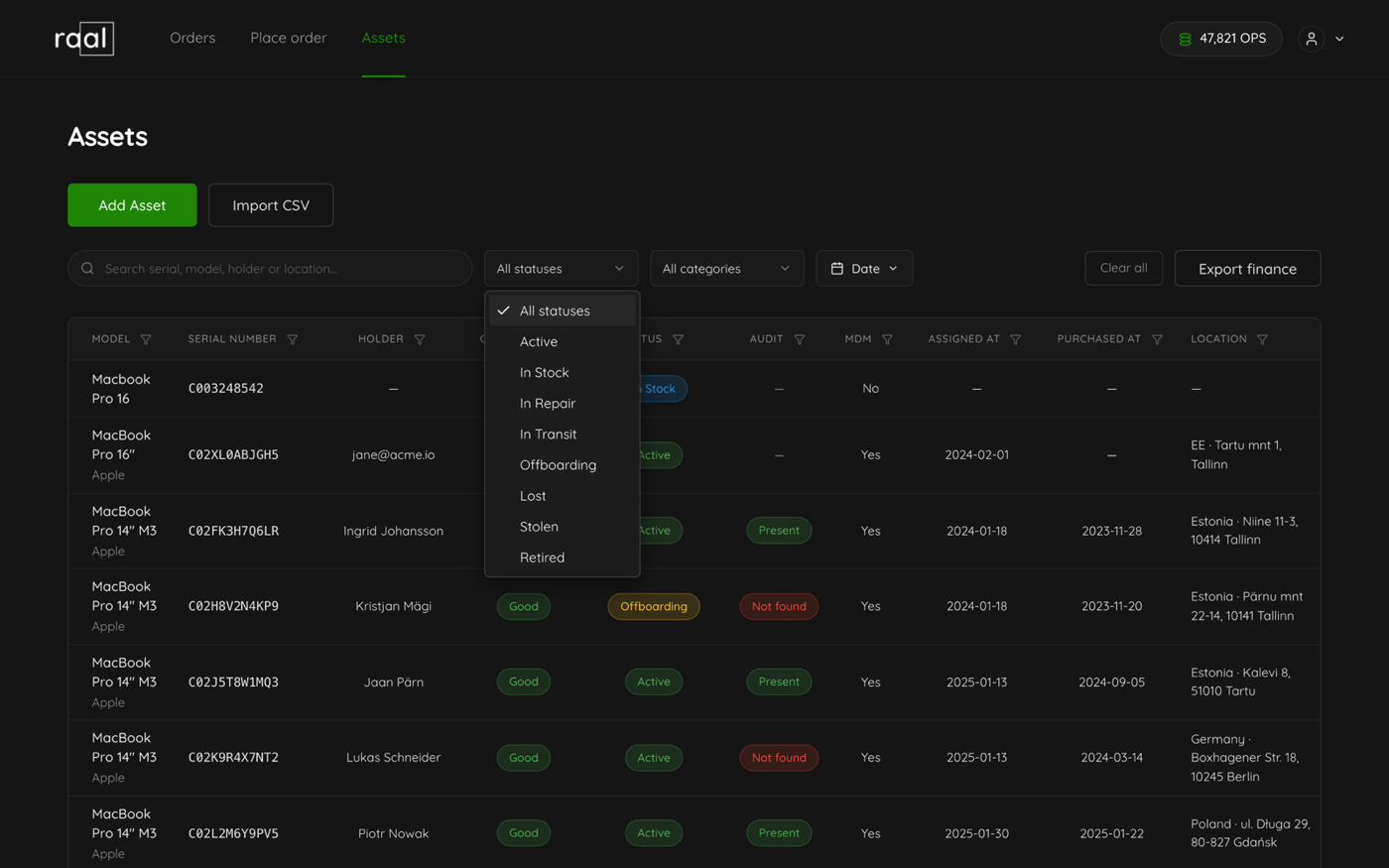
Active: in service with a holder. The device page shows "In service since" and the assignment date.
In stock: available, sitting in a cupboard or a warehouse.
In repair: away being fixed.
In transit: on the move. A shipment sets this on its own.
Offboarding: being returned by someone who is leaving.
Lost and Stolen: reported missing. Record the incident reference on step 7 of the wizard.
Retired: out of service. The Disposal tab appears on the device once a device is retired, for the disposal method, the data destruction certificate and the vendor.
New devices default to In stock. You can set any status by hand, but three of them also move on their own: a device shipment sets In transit while it is travelling, then Active when it is delivered to someone, or In stock when it is collected back.
Condition
Condition has two layers. The grade is one of five buttons on step 3 of the wizard: New, Good, Fair, Poor and Damaged. New devices default to Good. Underneath it, Condition score is a number from 0 to 100 for teams that want something finer, and it is what the device page shows as "82/100" with a bar.
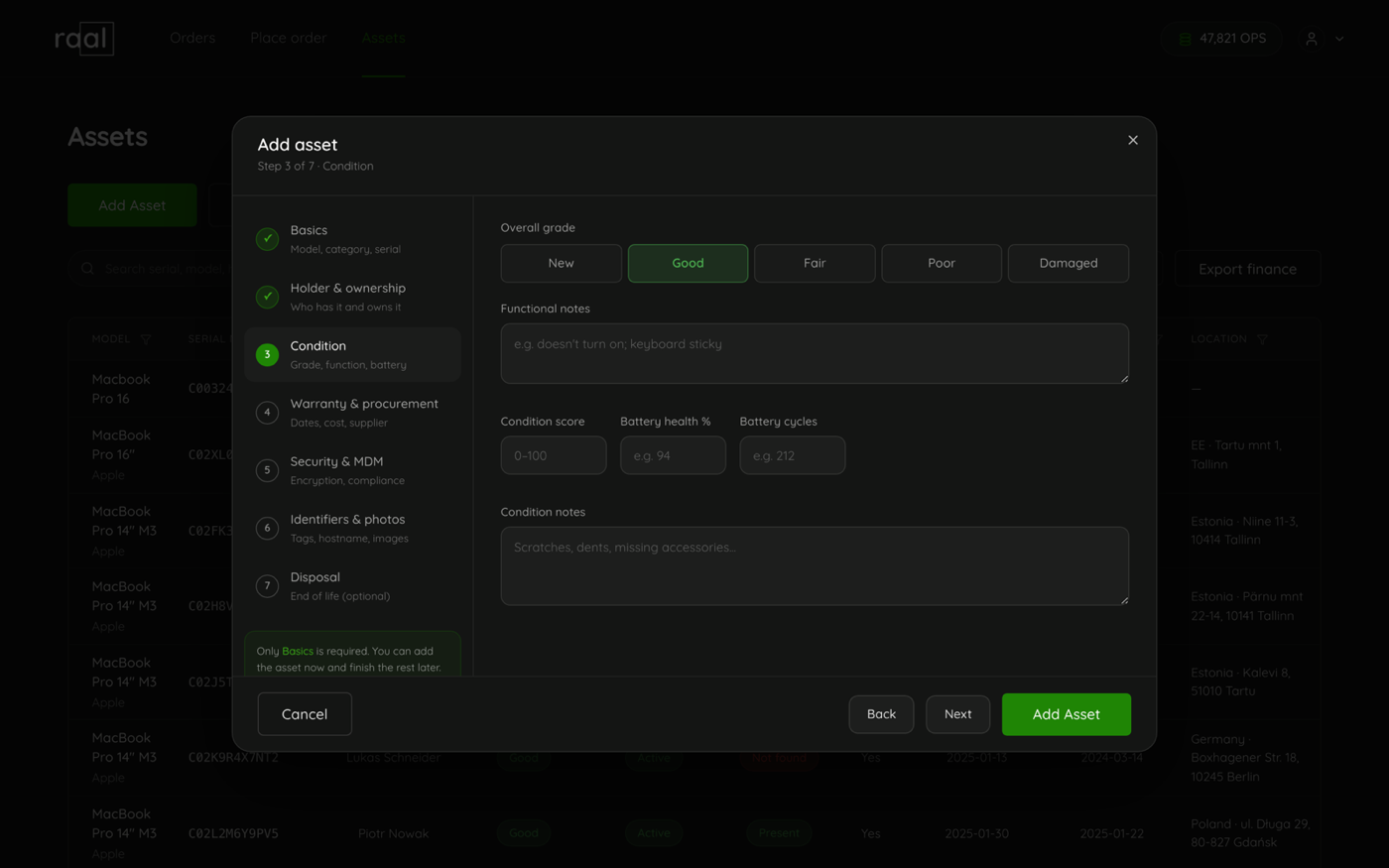
Two more fields on the same step matter for laptops: Battery health % and Battery cycles, which drive the Battery health card on the device page.
Then there are two free text boxes that are easy to confuse. Functional notes is for what does not work, for example "does not turn on; keyboard sticky". Condition notes is for cosmetics: scratches, dents, missing accessories.
Audit is separate on purpose
The Audit column records a manual inventory check and has three states: Present, Not found and not audited at all. Set it from the row menu with Mark present or Mark not found, or from the Physical presence block on the device page, which also shows when it was last audited.
Keeping it separate from status is the point. A device that is Active and Not found is a device somebody is supposed to be using that nobody can find, and that combination is the whole reason to walk round with a list once a quarter.
Ownership is a fourth thing
Owner on step 2 is not a person and not a state. It is how the device is owned: Company owned, Leased or BYOD. The person holding the device is the holder.