
Buying additional OPS (the top-up flow)
How to buy a one-off OPS pack mid-period, including pack sizes and pricing.
If your balance is running low, or you're about to place an order that exceeds your current OPS, you can buy a top-up pack at any time.
Top-up OPS never expire and are always consumed before subscription OPS.
When you need to top up
The Plans page shows a Top-up OPS button in the top right whenever you're on Starter, Pro, or Business. (PAYG accounts can place orders directly without holding an OPS balance.)
You'll also see a top-up modal automatically pop up when an order would exceed your balance.
How to top up
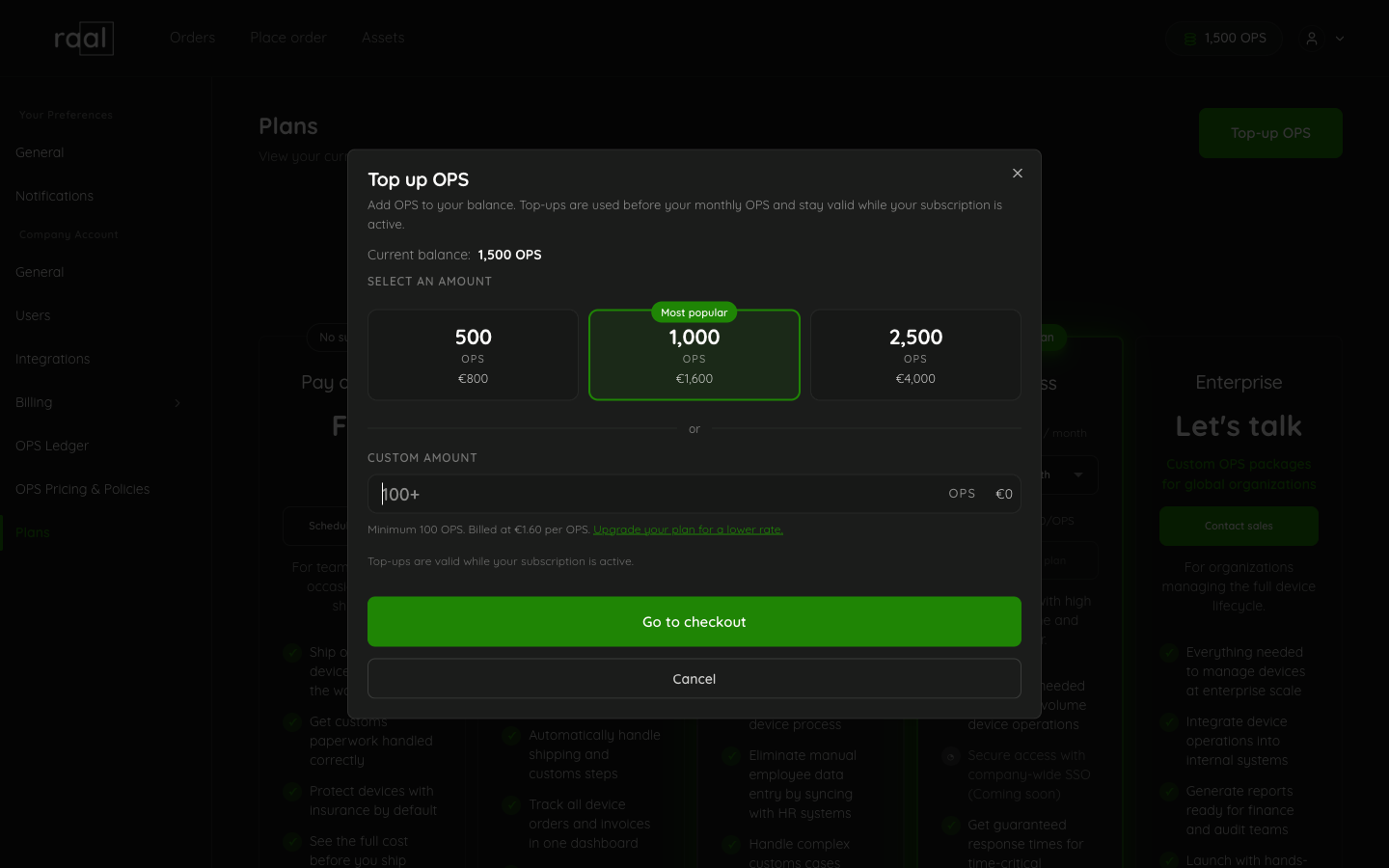
Go to Configuration > Plans.
Click Top-up OPS in the top right.
The modal shows available pack sizes at your tier's top-up rate. Larger packs come at a slightly better per-OPS price.
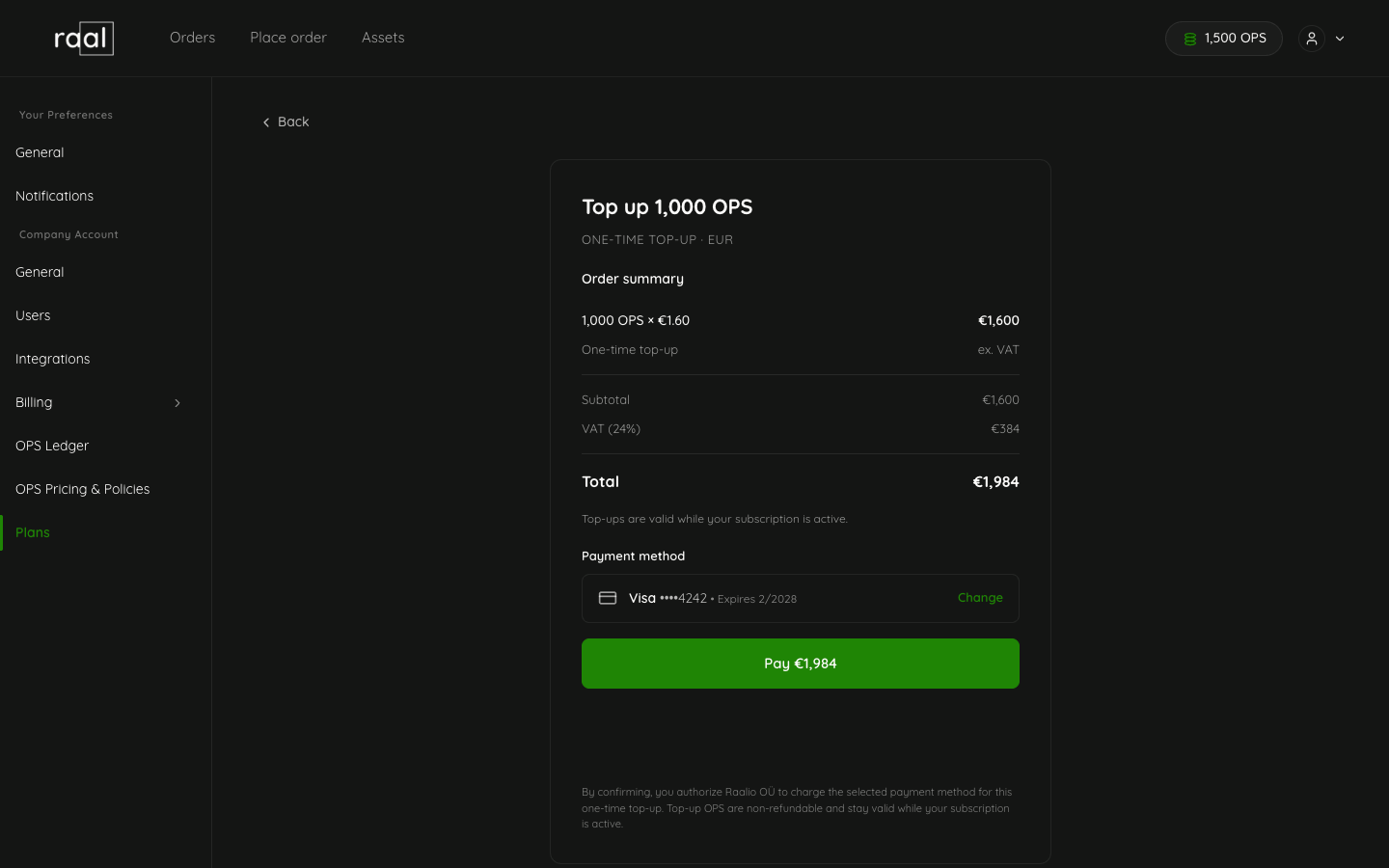
Pick the pack you want and click “Go to checkout”. You'll be taken to a checkout page.
Depending on your payment settings you’ll be directed to card payment or bank transfer checkout page. Stripe processes the payment.
The OPS land in your balance within seconds. The Plans page refreshes; the new balance appears at the top of the page and at the OPS Ledger.
Pricing
Your top-up rate depends on your current plan:
Plan | Top-up rate (EUR per OPS) |
PAYG | Not included to OPS system |
Starter | 1.90 |
Pro | 1.75 |
Business | 1.60 |
USD and GBP rates apply for those currencies.
What happens at the next renewal
Top-up OPS roll forward indefinitely.
At your next plan renewal:
Top-up OPS stay where they are.
Subscription OPS get topped up to your allocation, capped at 2x.
Consumption draws top-up OPS first, subscription OPS second.