
How OPS are consumed
The OPS rate card: every action that costs OPS, and how much.
Every chargeable action in the Raal platform has a fixed OPS cost. Here's the full rate card.
Per-order costs
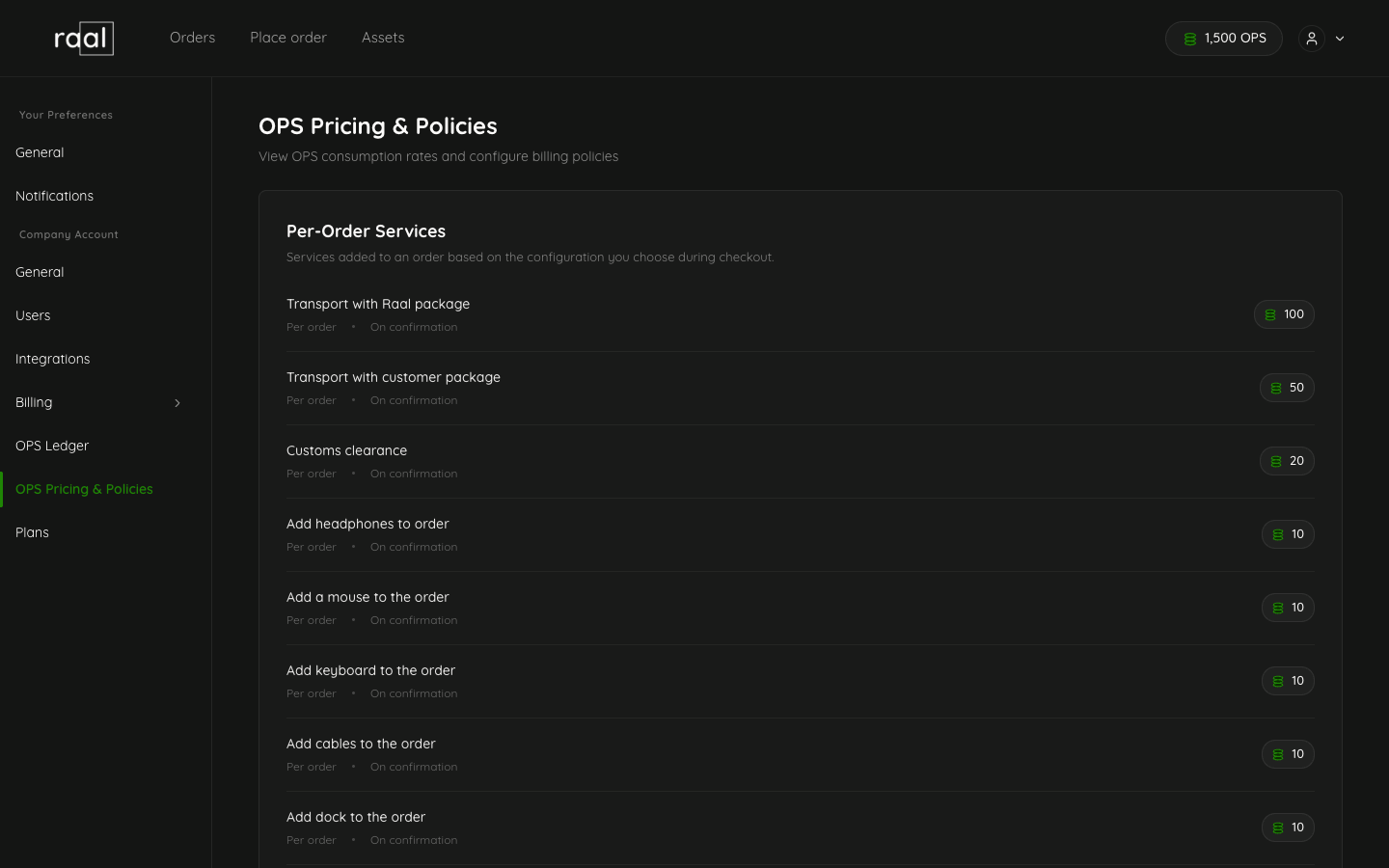
Action | OPS cost |
Transport with Raal-supplied package | 100 / order |
Transport with customer's own package | 50 / order |
Customs clearance | 20 / order |
Add accessory (headphones, mouse, keyboard, cables, dock) | 10 each |
Payment policy costs
Action | OPS cost |
Pay at order placement (default) | 0 |
Pay after order fulfilment | 20 / order |
Monthly consolidated invoice | 500 / month |
The first option is the default and free. The other two cost OPS because they shift payment risk and operational work to Raal.
Platform usage costs
Action | OPS cost |
API call for employee data | 2 / call |
Data export | 5 / export |
What does not cost OPS
Logging in.
Viewing orders, invoices, OPS history.
Inviting teammates.
Configuring billing or notifications.
Connecting integrations (BambooHR, etc.).
Browsing the Plans page or downloading invoices.
Where you see the cost
On Step 3 of the new-order wizard, the right-hand column shows the OPS cost per device, customs clearance (if applicable), accessories, and the per-order policy cost (if you're not on the default policy). The total OPS for the order is shown at the bottom of the table.
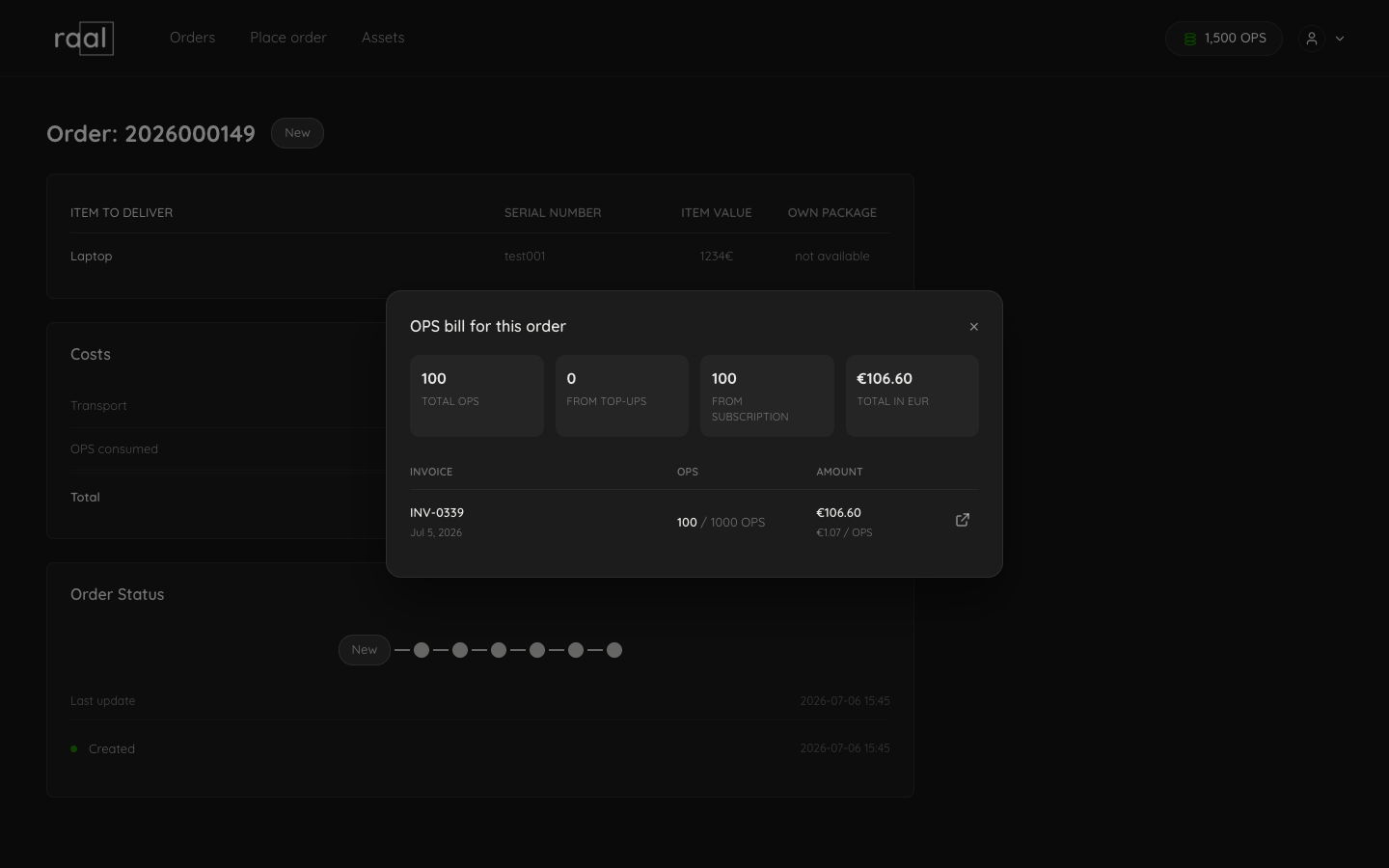
For platform actions (API calls, data exports), the cost is shown next to the button you click.
When OPS aren't enough
If your balance is too low to cover an action, the platform blocks the action and prompts you to top up. See "Insufficient OPS" troubleshooting for the steps to recover.