
Scheduled downgrades: when they take effect and how to cancel
How scheduled-downgrade timing works and how to back out before it triggers.
When you downgrade your Raal plan, the change is scheduled, not immediate.
This article covers when the change kicks in, what happens in the meantime, and how to cancel it before it triggers.
When the downgrade takes effect
A scheduled downgrade takes effect at the end of your current billing period:
Monthly plans: the change happens at the next monthly renewal date.
Annual plans: the change happens at the next annual renewal date.
The exact date is shown when you confirm the downgrade and on the pending-change banner on the Plans page.
What happens in the meantime
Between now and the effective date:
Your current plan keeps running as normal.
You keep your current OPS allocation and any rollover.
You can still top up.
Billing continues at the current plan's rate; the lower price only applies starting the next period.
The pending-change banner
The Plans page shows a yellow banner at the top whenever a scheduled change is pending. The banner tells you:
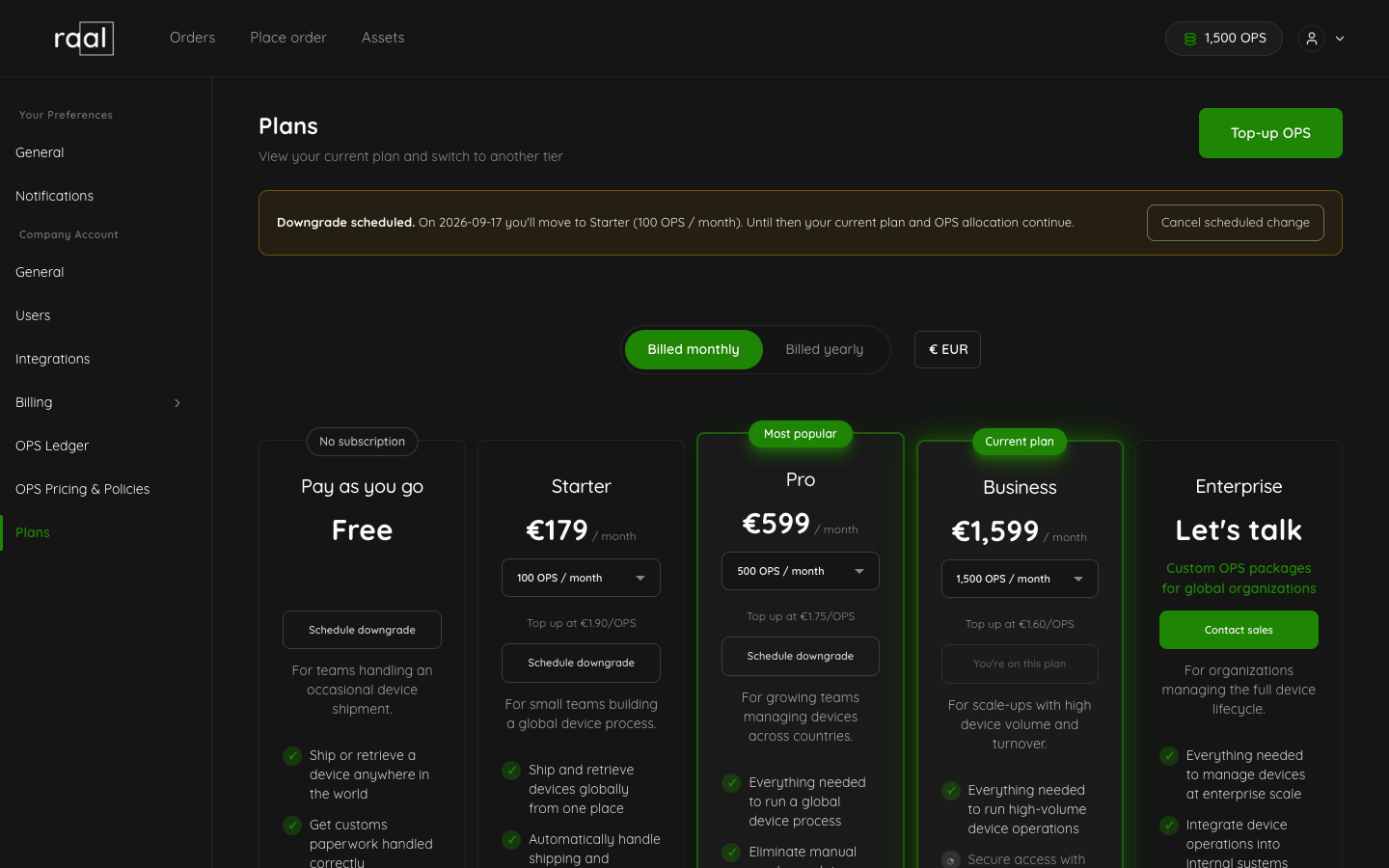
Which plan you'll move to.
The new OPS allocation (or "no subscription OPS" if you're going to PAYG).
The effective date.
A Cancel button.
How to cancel a scheduled downgrade
Open Configuration > Plans.
Find the pending-change banner at the top.
Click Cancel.
Confirm. Your current plan continues without change.
Cancellation is free and instant. You can cancel any time before the effective date.
What if I scheduled the wrong downgrade?
Cancel the pending one (above), then schedule the correct one. Only one pending change can exist at a time.
Edge cases
Switching to PAYG: same scheduling rules. Your subscription OPS expire at the effective date; top-up OPS roll forward.
Pending downgrade + immediate upgrade: if you schedule a downgrade and then change your mind and want to upgrade instead, cancel the pending change first, then perform the upgrade (which takes effect immediately).
Mid-period currency change: changing currency doesn't trigger a scheduled change; the new currency just applies from the next billing cycle.