
Welcome to Raal
A quick orientation to the Raal customer portal: what each section is for and where to start.
Welcome.
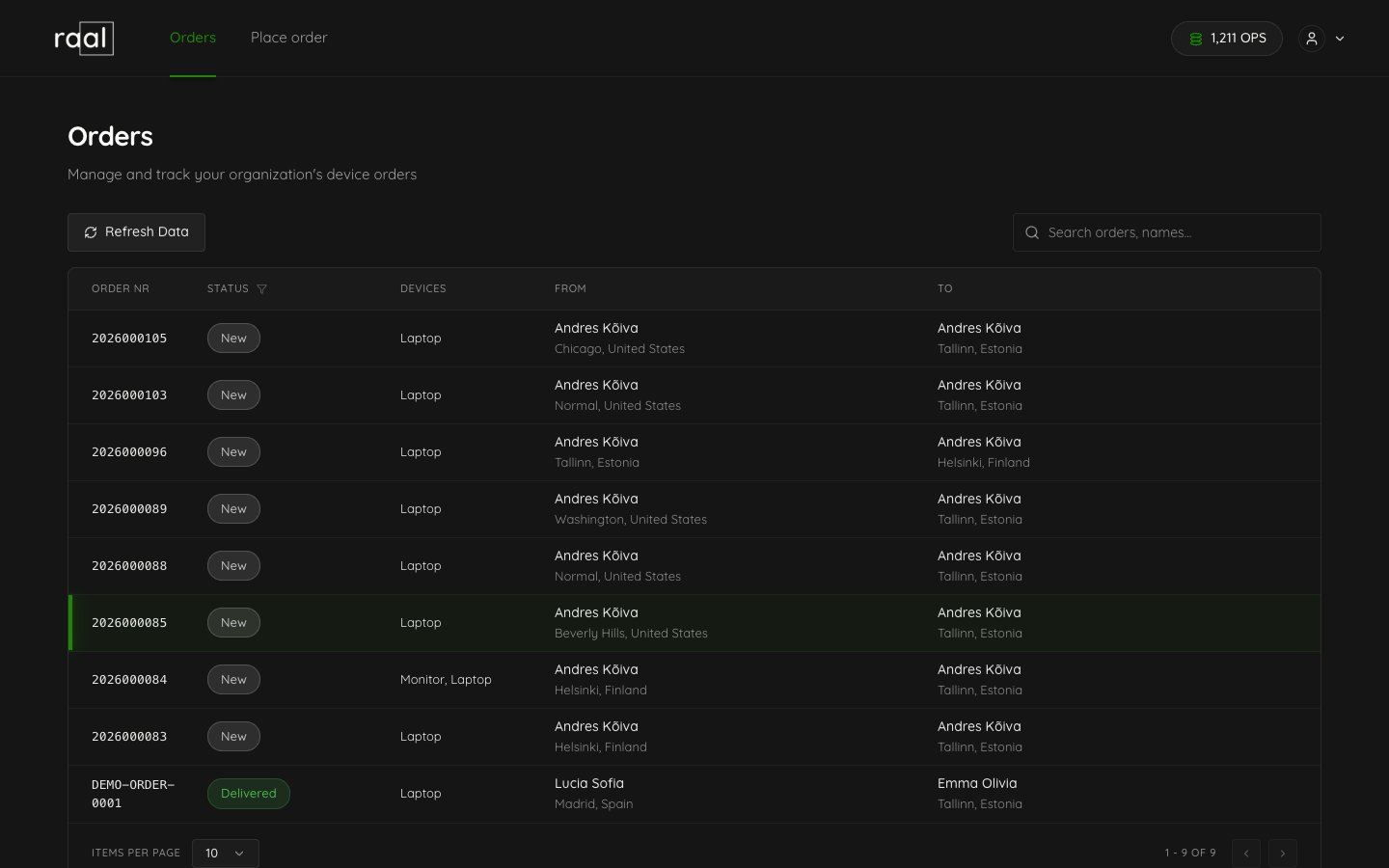
Raal is a global IT device lifecycle management platform. You ship laptops to new hires, retrieve them from leavers, and swap devices for existing employees, anywhere in 150+ countries. The portal is where you trigger and track that work; everything that happens after the click, we handle for you.
This article is a tour. Use it to find the section you need; each feature has its own how-to article linked at the bottom.
What Raal handles for you
You don't chase couriers, fill out customs forms, or babysit shipments. The portal kicks off the work; we run it.
End-to-end communication: We email the employee, the courier, and customs on your behalf, up to 3 emails per step, until the package is collected and delivered. Your team doesn't get pulled into the back-and-forth.
Packaging shipped to your door: Raal return kits, with packing instructions, are shipped directly to the employee or office. No sourcing boxes, no writing instructions.
Customs clearance done for you: For cross-border shipments, we handle the import paperwork. You don't deal with brokers or HS codes.
Insurance and claims: Every shipment is insured for full replacement value. If something is lost or damaged in transit, we file and chase the claim on your behalf.
Flexible invoicing: Bill to whichever entity you need (parent, subsidiary, project entity), and pay at order placement, after fulfilment, or on a monthly consolidated invoice.
Your time back: A device move that used to take a vendor hunt, multiple emails, and customs forms becomes a few clicks in the portal. Hours per move, multiplied by every hire and leaver.
What you can do in the portal
Orders: place new shipments (onboarding, offboarding, device changes) and track in-progress orders.
OPS Credits: see your credit balance, top up, and review your consumption history.
Subscription: pick a plan, switch tiers, schedule a downgrade.
Billing: enter your billing details, add a payment method, and choose how you pay (at order placement, after fulfillment, or on a monthly consolidated invoice).
Users: invite teammates and assign roles.
Integrations: connect BambooHR so employee data flows in automatically.
Notifications: choose which order events email you.
Account & company settings: update your profile and company information.
Where to start
If you just signed up, the fastest path is:
Add your company billing details.
Add a payment method.
Invite the teammates who will use the platform.
Place a test order to see the flow end-to-end.
Each of those has its own article in this help center.
A few terms you'll see
OPS: virtual credits that get consumed when you use platform features. Each action (placing an order, exporting data, paying after fulfilment) has a fixed OPS cost.
PAYG: pay-as-you-go, the default. No subscription; you pay per shipment.
Subscription: a plan (Starter, Pro, Business) that bundles a monthly OPS allotment at a lower per-OPS price.
Collection point: the address where Raal picks up the device, or where a return kit is delivered.
Customs clearance: handling import paperwork when a shipment crosses borders.