
Importing assets from a CSV file
The three step CSV import, the template columns, the row limits, and how existing devices are matched instead of duplicated.
Click Import CSV on the Assets page to load many devices at once. It is a three step flow: Upload, Review and fix, then Done.
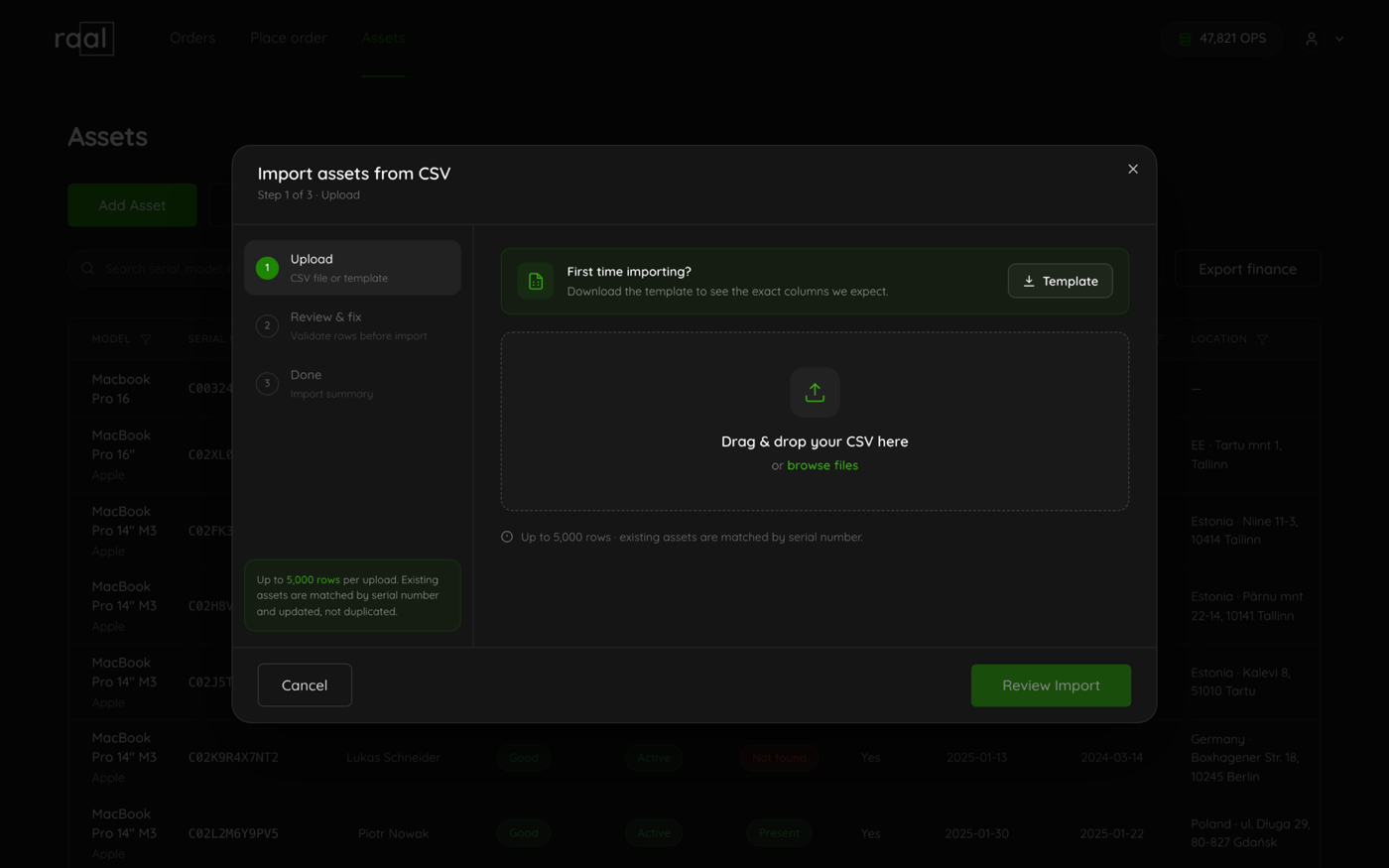
Start from the template
Click Template to download Raal-asset-import-template.csv with the exact columns Raal expects:
serial_number, model, manufacturer, category, status, warranty_start, warranty_end, warranty_provider, holder_business_email, holder_private_email, holder_name, holder_phone, location_country, location_address, notes, condition_grade, enrolled_in_mdm, assigned_at, device_in_use_from
Only model is required. Header names are matched loosely, so an export of your own that uses serial, brand, holder_email, mdm, grade, country or address will still be understood. enrolled_in_mdm accepts yes, no, true, false, 1 and 0.
Existing devices are updated, not duplicated
Rows are matched to your register by serial number. A row whose serial already exists updates that device. A row with a new serial, or no serial at all, creates one. This is what makes the import safe to re-run: exporting your register, fixing a column in a spreadsheet and importing it back does not double anything.
Limits
Up to 5,000 rows per upload.
The file must be 8 MB or smaller.
It has to be a real .csv file.
Fixing rows without re-uploading
Step 2 shows every row in an editable grid with Model, Category, Status, Serial and Holder business email, and a chip at the top reading something like "142 ready . 3 needs attention". Problems are listed under the row that has them: a missing model or category, an unrecognised category or status, or an invalid holder email.
Fix them in the grid. As the note says, "Rows with warnings are skipped unless fixed. Fix them here, no need to re-upload." Then click Import N assets.
What you get back
Rows are imported independently rather than all or nothing, so a handful of bad rows never blocks the good ones. Step 3 reports how many were processed and how many were skipped, and offers Download skipped rows (.csv), which is your original rows plus a skip_reason column. Fix that file and import it on its own.
Two things the import does quietly
An assigned_at date that arrives by import counts as a date a person set. Neither a delivery nor the nightly MDM sync will overwrite it later.
If a serial in your file matches a shipment you have already placed, the device and that order are linked, and the shipment appears in the device's activity trail dated when it happened.